Skip to content
MOZA Racing | AS011+AS012 | 5430004765059

MOZA AY210 Force Feedback Yoke Bundle

Sold out
Original price €892,99
Original price €892,99 - Original price €892,99
Original price €892,99
Current price €785,79
€785,79 - €785,79
Current price €785,79
Price incl. VAT for EU customers / excl. VAT for Non-EU customers. Excluding import duties, customs costs and any shipping costs.
Availability:
Out of stock

Over 10 Years of Expertise in Sim Racing and Flight Simulation

Secure payments

Money back guarantee!

Global Shipping

Warehouse in Holland

30 Days return period

and a 2 year warranty!

Join Our Community!

Stay up to date with the latest sales and new product announcements.
Connect with fellow sim racing enthusiasts, share your passion, and be part of an exciting community.
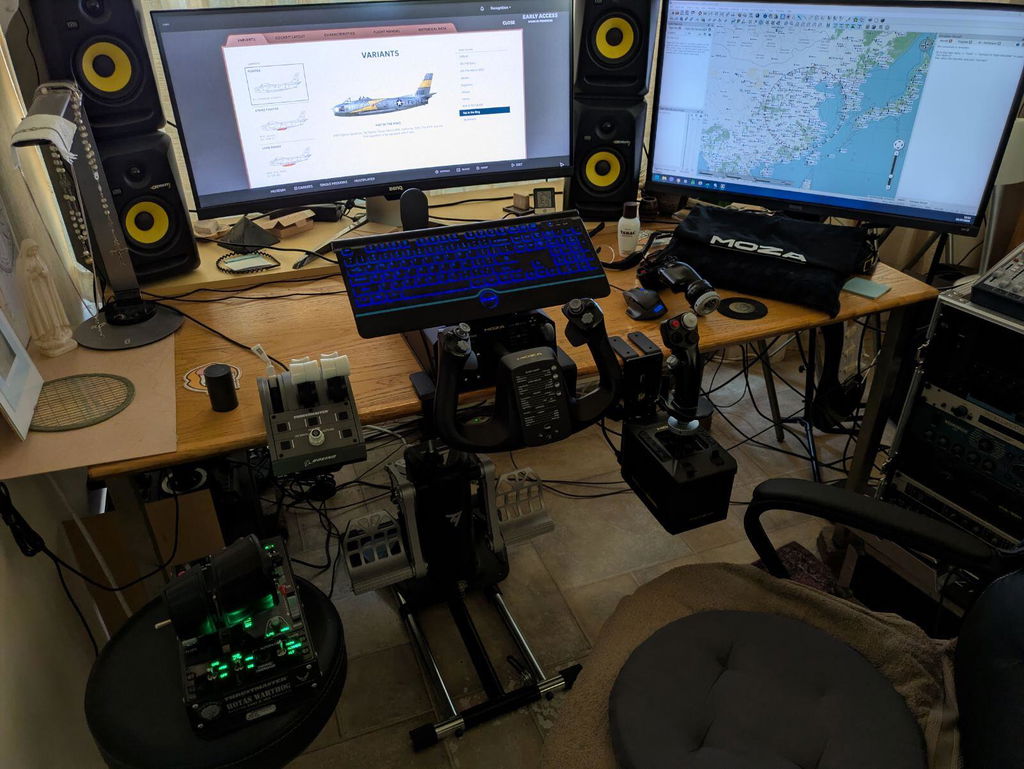
A 9 Nm force-feedback yoke bundle for PC with 210 N pitch force, 150 mm travel and an MFY yoke with up to 34 configurable signals.

The MOZA AY210 Force Feedback Yoke Bundle combines the AY210 dual-servo yoke base with the MFY Yoke for commercial and general-aviation-style flight simulation on Windows PC. The base supplies 9 Nm sustained roll torque, up to 210 N push/pull force and 150 mm pitch travel, while the MFY adds hat switches, Hall-effect joysticks, triggers and configurable button functions. The important setup distinction is that the hardware offers configurable inputs rather than one universal factory MSFS button-number map: MOZA Cockpit controls modes and profiles, and Microsoft Flight Simulator binds the functions you choose.

Why choose this product?

  • The AY210 combines substantial force-feedback roll and pitch loads with a 15-bit encoder and 1000 Hz USB refresh rate for a dedicated yoke-control system.
  • The MFY provides up to 34 configurable signal outputs with axis and button modes, giving you flexible cockpit, view and systems control without inventing a fixed simulator mapping.

Bundle components

AY210 force-feedback base

Dual high-performance servo motors deliver 9 Nm sustained roll torque and up to 210 N pitch force through 150 mm of push/pull travel. The roll axis covers ±90° for a full 180° range. The aluminum-alloy base uses a 15-bit magnetic encoder and 1000 Hz USB refresh rate. It also provides 13 programmable front-panel switches, connection ports for throttle, rudder pedals and panels, plus direct cockpit and aluminum-profile mounting.

MFY yoke handle

The MFY uses composite construction with an aluminum quick release and provides two eight-way switches, two Hall-effect joysticks, two LB/RB buttons and two triggers. MOZA specifies up to 34 configurable signal outputs, including axis-to-button modes. The MFY is designed for the AY210 Yoke Base and is not a standalone USB yoke.

Axes, controls and numbering

MOZA's current MFY manual labels physical control locations for setup and documents logical axis modes for the joysticks and triggers. In axis mode, the left joystick uses Rz and Dial, the right joystick uses RX and RY, and the triggers can be combined on Z or separated to Z and Slider. These manual labels and logical axes should not be converted into a fabricated universal “Button 1–34” list for Microsoft Flight Simulator.

Mounting and included hardware

Direct cockpit mounting is supported. For desk use, MOZA lists optional desktop and suspended clamps; the current SRW MOZA Table Clamp for Yoke is the exact active desk-clamp target for this yoke system. The standard bundle contains the AY210 Base, MFY Yoke, toolkit, user manual and warranty card; the desk clamp is not part of the standard package.

Software and MSFS 2024 setup

MOZA Cockpit manages force-feedback profiles, travel curves, RGB lighting, input modes, calibration and firmware. MOZA lists native telemetry force feedback for Microsoft Flight Simulator 2024/2020, X-Plane 12 and DCS World without an extra plugin. In MSFS, the primary pitch, roll, rudder, throttle and toe-brake axes are bound in the simulator Controls menu; button functions are assigned according to the aircraft and your preferred layout.

Throttle and rudder expansion

The AY210 base includes ports for additional flight hardware. The MOZA MTQ Throttle Quadrant is an officially presented throttle upgrade for the AY210 and can also connect directly by USB. For separate yaw and toe brakes, the MOZA MRP Rudder Pedals provides an independent PC-compatible rudder solution. Both are optional and sold separately.

Product details

MOZA AY210 Force Feedback Yoke Bundle

The MOZA AY210 Force Feedback Yoke Bundle combines the AY210 dual-servo yoke base with the MFY Yoke for commercial and general-aviation-style flight simulation on Windows PC. The base supplies 9 Nm sustained roll torque, up to 210 N push/pull force and 150 mm pitch travel, while the MFY adds hat switches, Hall-effect joysticks, triggers and configurable button functions. The important setup distinction is that the hardware offers configurable inputs rather than one universal factory MSFS button-number map: MOZA Cockpit controls modes and profiles, and Microsoft Flight Simulator binds the functions you choose.

Compatibility

Platform: Windows PC. MOZA specifies native telemetry force feedback for MSFS 2020/2024, X-Plane 12 and DCS World among its supported flight titles.

Connection and ecosystem: MFY is designed specifically for the AY210 Yoke Base. Optional MOZA throttle, rudder and panel devices can connect through supported base ports or independently by USB where the accessory supports it.

Requirements: The bundle requires mains power, USB connection to the PC and a secure cockpit mount or optional desk clamp. Throttle controls, rudder pedals and the desk clamp are not included.

Specifications

Platform
Windows PC
Sustained roll torque
9 Nm
Maximum pitch force
210 N
Pitch travel
150 mm
Roll range
±90°
Encoder
15-bit magnetic
USB refresh rate
1000 Hz
MFY signal outputs
Up to 34
MFY joysticks
2 Hall-effect
Configuration software
MOZA Cockpit

What's in the box?

  • MOZA AY210 Yoke Base
  • MOZA MFY Yoke
  • Toolkit
  • User manual
  • Warranty card

Frequently asked questions

Does the AY210 work with Microsoft Flight Simulator 2024?

Yes. MOZA lists native telemetry force feedback for Microsoft Flight Simulator 2024. Use the MSFS Controls menu for axis and button bindings, and MOZA Cockpit for the force-feedback profile, calibration and device settings.

Is there an official fixed MFY “Button 1–34” map for MSFS 2024?

The current official documentation does not provide one universal factory MSFS Button 1–34 mapping. It identifies physical controls and logical axis modes, while the actual simulator functions are assigned by the user in MSFS or through MOZA configuration options. A suggested mapping should therefore be labelled as a user profile, not factory numbering.

Can I use the AY210 on a desk?

Yes, but the standard bundle does not include a desk clamp. MOZA supports optional desktop or suspended mounting as well as direct cockpit mounting.

Can I add a throttle and rudder pedals later?

Yes. MOZA presents compatible throttle and rudder expansion paths for the AY210 ecosystem. The MTQ can be added for engine controls, while MRP Rudder Pedals add separate yaw and toe-brake inputs; both are sold separately.

Can the MFY Yoke be used without the AY210 base?

No. MOZA specifies the MFY Yoke for the AY210 Yoke Base. It is not a standalone USB yoke and should not be treated as compatible with an unrelated flight base without exact manufacturer confirmation.

Please note: we make every effort to display products as accurately as possible. Colours, materials and finishes may vary slightly in real life due to studio lighting, screen settings, ambient light and product characteristics.

  • 5 stars: 2 (50%)
  • 4 stars: 1 (25%)
  • 3 stars: 0 (0%)
  • 2 stars: 1 (25%)
  • 1 star: 0 (0%)
M
Martin N. (The Netherlands)
Great system

Great system.

D
David M. (Germany)
Etwas Licht und viel Schatten

Zunächst das Positive:

Die Yoke-Basis macht auf mich einen gut verarbeiteten Eindruck. Die Switches fühlen sich für mein Empfinden hochwertig an, das Force Feedback (FFB) wirkt kraftvoll und insgesamt hinterlässt die Basis auch optisch einen guten Eindruck.

Das Negative:

Beim MFY ist mein Eindruck im Vergleich zur Basis im Bezug auf Verarbeitung und Materialauswahl deutlich weniger positiv. Auf mich wirkt das Gerät teilweise eher leicht und weniger robust. Insbesondere die Mini-Joysticks vermitteln mir persönlich eher den Eindruck von einfachem Kunststoff als von einem besonders hochwertigen Bedienelement.

Am meisten enttäuscht hat mich allerdings die Software. Ich empfinde diese als ausgesprochen komplex und für den Einstieg als wenig intuitiv. Nach meiner Interpretation eines Discord Posts greift die Software auf eine Aircraft Database zurück, die zum Zeitpunkt meiner Nutzung zahlreiche wichtige 3rd-Party-Add-ons offenbar noch nicht abgedeckt hat.

Überrascht hat mich außerdem, dass bei meiner Softwareinstallation ab Werk offenbar nur Presets für drei Flugzeuge verfügbar waren. Für weitere Flugzeuge musste ich mich nach meinem Eindruck teilweise auf die Suche nach entsprechenden Presets in der Discord-Community machen.

In den dortigen Diskussionen wird zudem wiederholt darauf hingewiesen, dass die Erstellung bzw. Anpassung realistischer Presets durch bestimmte Darstellungs- bzw. Funktionsprobleme erschwert werden könne, beispielsweise im Zusammenhang mit der Q-Feel-Kurve. Auch über einen möglichen Bug im Zusammenhang mit SimConnect und der dadurch beeinträchtigten Performance wurde dort meines Wissens nach berichtet. Nach den dortigen Beiträgen soll es in einzelnen Fällen notwendig gewesen sein, entsprechende Anpassungen an der Software vorzunehmen, um das Problem zu umgehen bzw. zu beheben.

Mein Fazit:
Aus meiner Sicht besteht bei der Software noch erhebliches Verbesserungspotenzial. Ich würde mir insbesondere eine umfangreiche, gut gepflegte Preset-Datenbank wünschen, idealerweise unter Einbeziehung des Feedbacks von erfahrenen bzw. echten Piloten.

In der jetzigen Form hatte ich persönlich den Eindruck, dass relativ viel Zeit in die Konfiguration und Suche nach geeigneten Presets investiert werden muss, bevor ein für mich zufriedenstellendes FFB-Erlebnis erreicht wird. Die Hardware selbst gefällt mir grundsätzlich gut – gerade deshalb finde ich es schade, dass die Software aus meiner Sicht derzeit einen so großen Teil des Gesamterlebnisses beeinträchtigt.

J
Jan C. (Netherlands)
Primaire focus op control

Eerste indruk v.d. kwaliteit v.d. nieuwe MOZA hardware voor mijn flightsimulator is uitstekend. Conclusie na eerste testvluchten: Simuleert een goede en realistische besturing van de vliegtuigen, zeker ook in de landing en flare.
FFB is uitgebreid per vliegtuigtype instelbaar. Als je echter op verschillende types vliegt (prop-jet, snel-slow, light-heavy etc) moet je de FFB steeds opnieuw instellen. Zou een echte verbetering zijn als je per vliegtuigtype een Moza profiel **** opslaan. Bij racing games zijn de verschillen per racecar relatief veel kleiner en volstaat mogelijk een uniforme ffb instelling.

R
Ro w.t.f. (The Netherlands)
Its great to feel the force of a real plane in your hands

Its great to feel the force of a real plane in your hands. Never want to miss this. Its special!!!